Add a person to your directory
Create a record for a new member, guest, or volunteer in under a minute.
Open the People directory
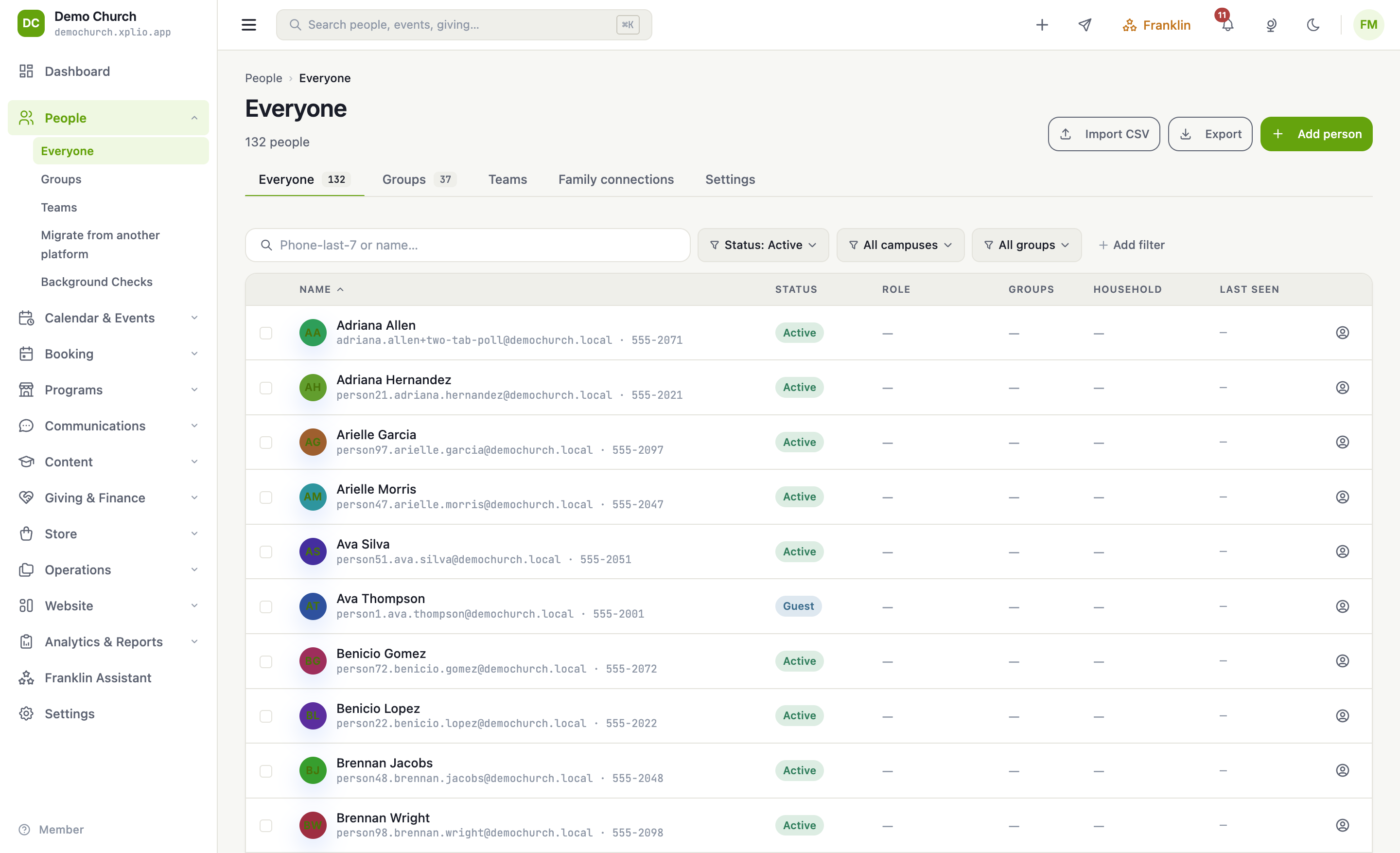
From the sidebar choose People → Everyone. You'll see everyone in your community, with quick filters for status, campus, and group.
Click "Add person"
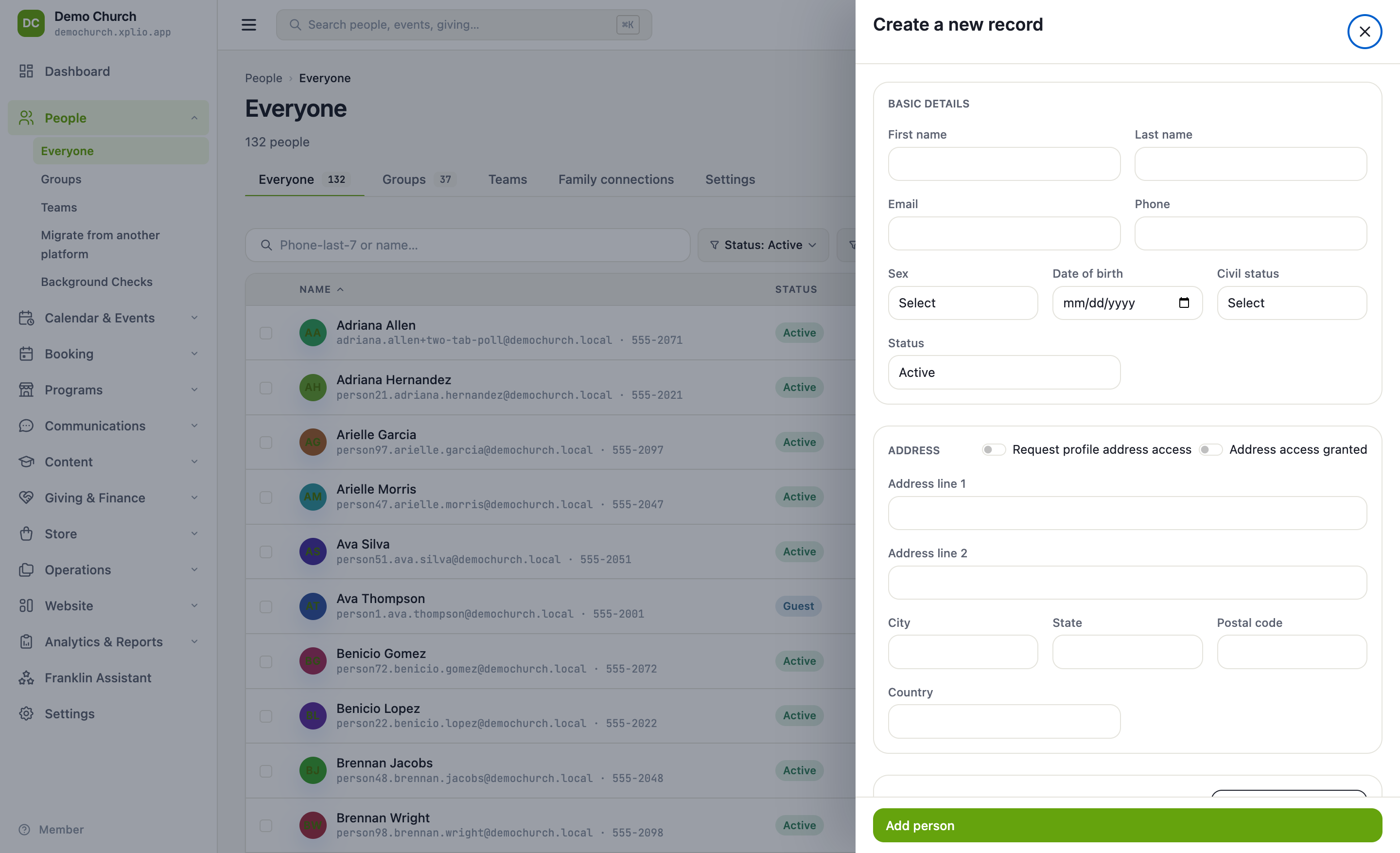
Use the Add person button in the top-right. A panel slides in for the new record.
Fill in the basics
Enter a name — everything else (email, phone, address, birthday) is optional and can be added later. Set their status to Active, Guest, or Inactive.
Households
Use Family connections to link people into a household so check-in and giving statements group them automatically.
Save
Click Add person. The record appears in your directory immediately and is ready for groups, teams, giving, and check-in.